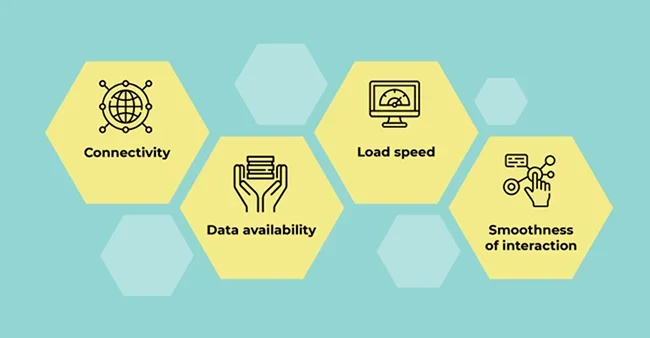
In 2026, website speed is a core business lever, not a niche concern. Customers demand near-instant mobile loading, and a slow site directly violates Google's Core Web Vitals (CWV), which are central to modern SEO ranking. A poor performance score immediately erodes trust, increases bounce rates, and cuts deeply into revenue, as conversion rates plummet with every added second of load time. Speed is now non-negotiable for maximizing traffic, maintaining brand integrity, and achieving strong search visibility.
In this article, we’ll cover:
-
Why website speed matters right now
-
How poor speed affects your bottom line
-
Exactly how to improve speed in 2026
-
Best practices, tools, and metrics to monitor performance
Why Website Speed Matters in 2026
Focusing on speed is your top priority for success in 2026. Fast-loading websites create happy customers, especially on mobile, which immediately builds trust and encourages more people to stick around. When your Website Development prioritizes quick performance, you naturally achieve better visibility in search results. Simply put, a faster site means better visitor experiences, lower lost revenue, and much stronger business growth.
We will now discuss some of these crucial points in detail, so you can clearly understand how to improve your site's performance and impact your bottom line.
1. User Expectations Are More Exacting Than Ever
- According to a Google-backed study, 53% of mobile users abandon a site that takes more than 3 seconds to load.
- A Google playbook found that the average time to fully load a mobile page (across 900,000 sites) is 22 seconds, but users don’t wait nearly that long.
- Waiting is a major pain point for users: 46% of consumers say that waiting for pages to load is their least favorite part of mobile browsing.
Takeaway: There’s a huge gap between what people expect (fast) and how many sites actually perform (slow).
2. Google’s Core Web Vitals Have Shifted: INP Is Now Central
- Google officially replaced FID (First Input Delay) with INP (Interaction to Next Paint) as a Core Web Vitals metric in March 2024.
- According to Google, INP better measures page responsiveness because it considers all user interactions, not just the first.
- The recommended targets for 2026 performance (as affirmed by recent SEO commentary) remain:
-
- LCP (Largest Contentful Paint): ≤ 2.5s
- INP: ≤ 200 ms
- CLS (Cumulative Layout Shift): ≤ 0.1
Takeaway: If you're optimizing your site, responsiveness (INP) is now a top priority alongside load times and layout stability.
3. Speed Directly Impacts Conversions & Revenue
- A classic performance study (also cited by Cloudflare) found that a 1-second delay in page load time led to a ~7% drop in conversions.
- Another frequently cited example: Mobify reduced its homepage load time by 100 ms, which resulted in a 1.11% increase in conversion rate.
- According to real-world business modeling, slow mobile sites (taking more than a few seconds) generate much lower ad revenue and see significantly higher bounce rates. (Source : Website Speedy)
Takeaway: Even small performance improvements (hundreds of milliseconds) can meaningfully boost conversions and revenue.
4. Bounce Rate & User Retention Suffer With Slow Speed
- As page load time increases from 1 to 3 seconds, the likelihood of a bounce goes up by 32%. (Source : PageNorth Digital Media)
- Longer waits also erode brand perception: users are less likely to return after a slow visit. Industry analysis confirms poor performance damages trust, especially in mobile scenarios.
Takeaway: Speed isn’t just about first impressions, it impacts whether users stay, return, or leave for a competitor.
How to Improve Website Speed in 2026 (Detailed, Actionable Guide)
Here’s a modern, 2026-ready playbook to optimize your website. These strategies are derived from performance research, Google’s metrics, and practical best practices.
1. Optimize Images & Media
- Use next-gen formats like WebP or AVIF - these formats provide significantly smaller file sizes without loss in quality.
- Serve responsive images using srcset - load smaller images on mobile, larger ones on desktop.
- Use lazy loading for below-the-fold images with loading="lazy" so images are only fetched when needed.
- Compress images using tools like TinyPNG, Squoosh, ShortPixel, or CDN-based image optimizers.
Why this matters: Images often make up the bulk of a page’s weight, so optimizing them can dramatically reduce load times.
2. Reduce & Optimize JavaScript (Boost INP)
- Audit JavaScript via Chrome DevTools or Lighthouse to find “long tasks” (tasks that block the main thread).
- Eliminate unused JS many sites load large libraries even for a few components.
- Code-split: only load the JS needed for the current page or user interaction.
- Use defer or async attributes on script tags to avoid blocking parsing.
- Replace heavy libraries with lighter alternatives (e.g., swap jQuery for vanilla JS, use Day.js instead of Moment.js).
Advanced 2026 strategies:
- Partial hydration with frameworks like Qwik or Astro only hydrate UI components when needed.
- React Server Components (RSC) for rendering on server and sending minimal JS to client.
- Use edge functions (e.g., Cloudflare Workers) to run logic closer to the user and reduce latency.
3. Implement Caching Effectively
- Set long Cache-Control headers for static assets (CSS, JS, images) to leverage browser caching.
- Use server-side caching: page caching (WordPress), object caching (Redis), or reverse proxies (Varnish).
- For dynamic content, use strategies like stale-while-revalidate, which serves a cached version while updating in the background.
Why this matters: Returning users will load the page faster, and server load reduces significantly.
4. Use a Global CDN
- Deliver assets (images, scripts, CSS) from edge servers across the globe (Cloudflare, Akamai, Fastly, etc.).
- Enable HTTP/3 + QUIC on your CDN, this reduces latency for modern browsers.
- Use CDN-level image transformations (resize, compress) and caching.
Why this matters: Reduces geographic latency, ensures faster load for global visitors.
5. Optimize Server Performance
- Choose high-performance hosting: NVMe SSDs, HTTP/3 support, and optimized web server software (LiteSpeed, Nginx).
- Reduce Time to First Byte (TTFB) by optimizing backend: database indices, efficient queries, object caching.
- Use modern technologies like Redis or Memcached for caching.
- Consider serverless / edge computing: offload functions to edge networks to reduce latency.
6. Optimize for Core Web Vitals
-
LCP (Largest Contentful Paint):
- Preload key content (hero images, CSS)
- Use SSR or SSG for critical pages
- Minimize render-blocking CSS/JS
-
INP (Interaction to Next Paint):
- Break up long JS tasks
- Use web workers for heavy tasks
- Avoid blocking animations, long animation frames
-
CLS (Cumulative Layout Shift):
- Always include width/height for images and embeds
- Reserve space for ads or dynamically-injected content
- Use font-display: swap for custom fonts so text doesn’t jump
7. Adopt Modern Delivery Techniques
- Preload critical assets: Hero image, fonts, CSS
- Prefetch: Use libraries like Quicklink, or prefetch via Next.js router for next-page resources
- Use edge rendering: Run rendering logic close to the user via Vercel Edge Functions, Cloudflare Workers, etc.
8. Implement Continuous Performance Monitoring
- Track Core Web Vitals using tools like PageSpeed Insights, Lighthouse, Chrome UX Report (CrUX), or SpeedCurve.
- Monitor third-party scripts, JS execution time, TTFB, and cache hits.
- Set up alerts if performance degrades after new deployments or content updates.
Conclusion: Why Speed Optimization Is a 2026 Business Priority
- In 2026, a fast website is more than user-friendly, it’s business-critical.
- Google’s shift to INP means responsiveness matters more than ever.
- Performance improvements directly affect conversions, bounce rate, and SEO.
- By optimizing images, JS, caching, and server infrastructure, you can significantly improve both user experience and revenue.
- Continuous monitoring ensures you maintain performance gains over time.
TechQware is here to simplify your digital journey. We specialize in creating high-performing, user-friendly solutions, whether you need a faster website, a custom application, or a complete digital overhaul. We focus on building secure, scalable technology that directly contributes to your success and growth. If you’re ready to discuss how technology can work harder for you, we’re ready to listen and help. Connect with TechQware to Start Your Project
 TechQware